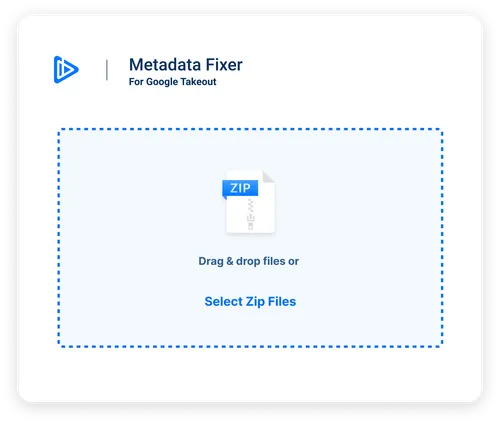
Are Your Google Takeout Pictures and Videos Out of Order?
Fix Your Pictures' and Videos' EXIF Metadata When Exporting From Google Takeout.






What We Fix
Timestamp
Retrieve the original timestamp of when the photo was taken, allowing to import your photos and videos elsewhere in the correct chronological order.
Title & Description
Get the original file name, description and tags added to your images.
GPS Coordinates
Get the GPS latitude and longitude of where your picture was shot (if available).
File type-specific tags
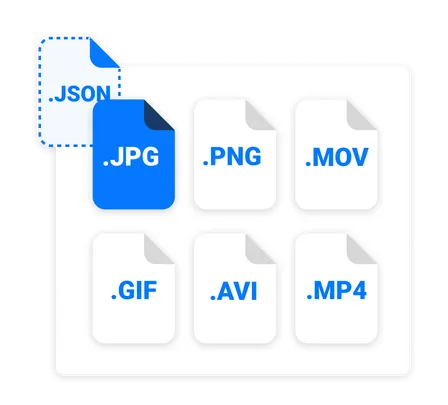
We process most common photo and video file formats, and use the proper tags for each file type and operating system. See FAQ for more details.
Timezone
We adjust the timezone of your photos based on GPS coordinates, if available, so that all yours trips' pictures and videos show the correct time.
Duplicates
Any file with the "(1)" or any other number as a suffix will also be processed with the right JSON.
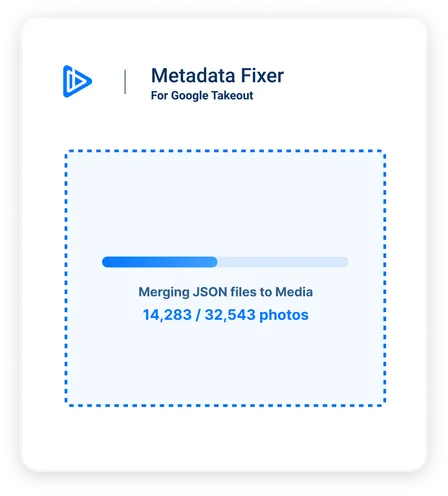
"Had been using google photos for a while now to keep my pictures. With the recent announcements by google to remove their free unlimited package, I decided to give this a try. Worked wonders!! It was super easy to use, and kept everything intact!"
What people say after rescuing their libraries
Google reviews and customer emails. Email senders’ names are withheld for privacy.
“Your tool is the only one I’ve found that works perfectly to save and fix these memories.”
“Great piece of software… I successfully fixed/converted over 40,000 images & videos in total (over 500gb of files)… The UI is intuitive and responsive… This program is worth its money… You just run it and it works and you get logs and you can rely on its results… I also love that it’s pay-once-use-forever.”
“… I had about 22,000 photos from over 10 years. Your utilities worked like a charm and didn’t even hiccup. In the process I lost only a single photo and I am pretty sure I had several similar ones so it was really no loss. I think you saved me about a week of work and I am sure your utilities did a better job than I could have. Many thanks! It is such a pleasure to use software that works. …”
“Bought your software: excellent! It’s amazing such a tool exists… over 55k photos and videos… It’s such a niche purpose but SO valuable to have available!”
“It’s amazing tool, incredibly helpful program to solve my headache to process more than 100,000 zipped Google Takeout photos without size limitation. One of the exports even was larger than 260GB and handled successfully by Metadata Fixer… it worked perfectly.”
“I ended up buying all the plugins too, this is a lifesaver – google takeout was MISERABLE!”
“This software saved me hours of work and lots of headaches… All the pictures were there, but the metadata was screwed up with wrong dates. Metadata fixer solved all of it with a few clicks. Well worth the price! I probably would have paid more!”
“Having the UI is worth the $40 even when you know how to do it without. It’s so nice to be able to run this program with confidence autonomously.”
“I was a little skeptical of this app at first, but after I used the free preview, it was obviously easy to use and worked flawlessly. So I paid for the full version and was finally able to organize my 20,000+ photos/videos that I downloaded with google takeout. Very happy to see an app like this! Useful and easy!”
“I LOVE your tool! Thanks for giving us the freedom that Google tried to steal!”
New
Download Your Library Without Google Takeout
Snapback is our free Chrome extension that downloads your Google Photos library directly from your browser — no Takeout, no zip files, no command line.
Learn More About SnapbackGoogle Takeout Guides
Learn how to export, download, and fix your Google Photos
How to Export From Google Photos
Complete guide on using Google Takeout to export your entire photo library.
Download Takeout Reliably
Stop failed downloads. Use rclone for automatic resume and faster speeds.
Why Photos Have Wrong Dates
Why Google strips EXIF metadata and how to restore original timestamps.
What Are JSON Files?
Understanding the metadata files in your Google Takeout export.